
StoreUnity®
BUILT FOR THE COUNTER. CHOSEN FOR YOUR STORE.

Real hardware.
Connected thinking.

Explore the equipment behind a dependable retail setup, from the first scan to the printed receipt.

Plan your hardware setup ↗
POS · Payments · Peripherals
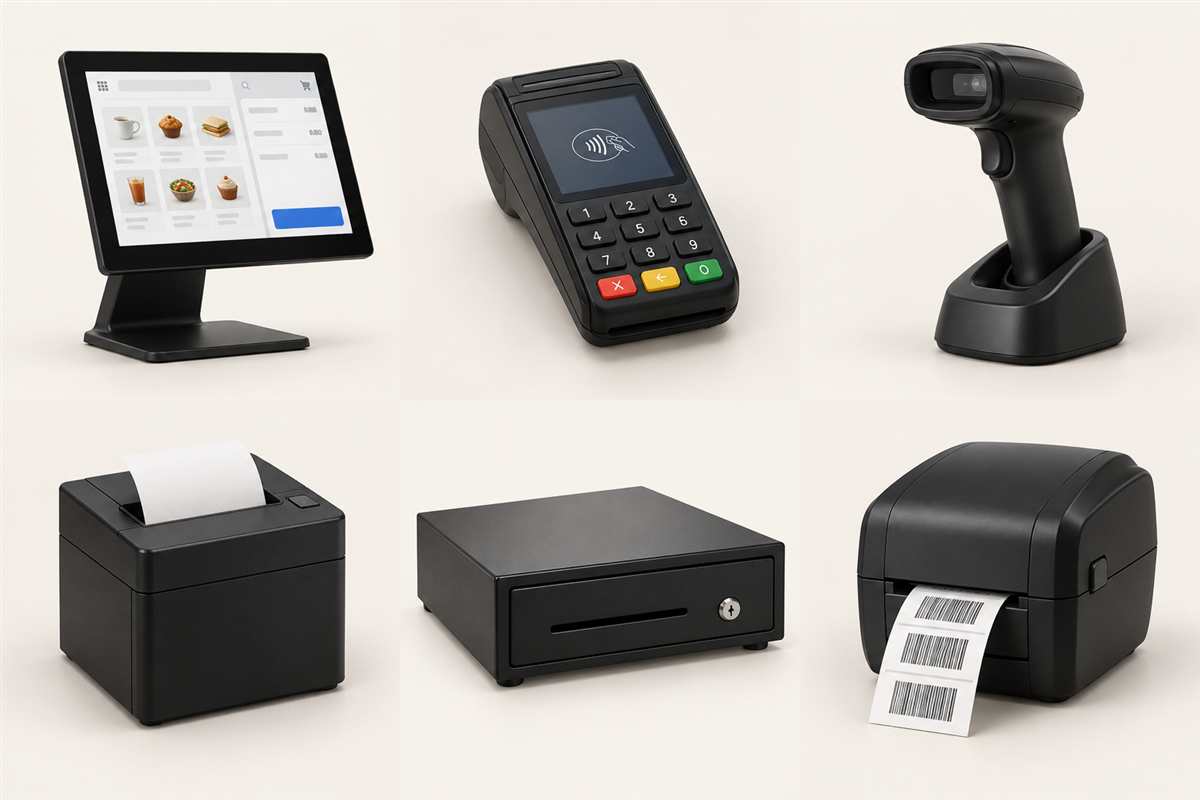
Retail hardware collection: touchscreen POS, payment terminal, barcode scanner, receipt printer, cash drawer and label printer
YOUR RETAIL HARDWARE TOOLKITThe right equipment. All connected.
EXPLORE THE EQUIPMENT

The pieces behind
your daily workflow.

Start with an equipment category. We’ll help you assess specific models, availability and compatibility with your chosen software and payment provider.

6 equipment categories
THE CHECKOUT WORKSTATION

Touchscreen POS

A practical home for everyday sales, product lookup and checkout workflows.

  • Countertop checkout
  • Product search
  • Staff workspace
What to consider +

Screen size, mounting space, operating system and software compatibility.

Discuss touchscreen pos ↗
THE CUSTOMER HANDOFF

Payment terminals

Bring the payment step into a checkout setup that suits your store.

  • Countertop payments
  • Customer-facing keypad
  • Payment handoff
What to consider +

Your payment provider, supported payment methods, connectivity and POS integration.

Discuss payment terminals ↗
LESS TYPING. MORE SCANNING.

Barcode scanners

Help your team identify products at the counter and during stock tasks.

  • Product identification
  • Checkout scanning
  • Stock tasks
What to consider +

Barcode types, wired or wireless connection, scan distance and product surfaces.

Discuss barcode scanners ↗
THE FINISHING TOUCH

Receipt printers

Choose a receipt printing setup around your counter space and daily workflow.

  • Sales receipts
  • Countertop installation
  • Checkout peripherals
What to consider +

Paper format, connection type, software drivers and cash drawer compatibility.

Discuss receipt printers ↗
A PLACE FOR THE EVERYDAY

Cash drawers

Organise cash handling with equipment that fits your counter and payment routine.

  • Cash organisation
  • Counter installation
  • Cash workflows
What to consider +

Counter dimensions, till layout, locking requirements and printer-trigger compatibility.

Discuss cash drawers ↗
FROM PRODUCT TO SHELF

Label printers

Support product identification and shelf organisation with the right label setup.

  • Product labels
  • Barcode labels
  • Shelf organisation
What to consider +

Label dimensions, print method, barcode requirements and catalogue integration.

Discuss label printers ↗
MORE THAN A DEVICE

Make the equipment
fit the workflow.

A good setup starts with how your team works. Bring the software, physical space and connections into the same conversation.

Explore hardware & support ↗
  1. 01

    Review your setup

    Share your current devices, software, payment provider and counter layout.

  2. 02

    Confirm the fit

    Assess device compatibility, connections, space and installation requirements.

  3. 03

    Plan the handoff

    Discuss configuration, staff familiarisation and your support needs.

LET’S CONNECT THE RIGHT PIECES

New store?
Existing setup?

Tell us what you have and what you need. Let’s work through the hardware requirements together.

Talk about your equipment ↗